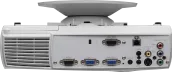
The InFocus X6 is a Laser-BrilliantColor-DLP projector that brings 2000 ANSI lumens, a SVGA 800 x 600 resolution alongside a contrast of 1800:1. According to InFocus, the lamp has a durability of 2000 hours. Looking at practical performance, up to 389 cm can be illuminated with 2000 ANSI lumens in dark environments. Once daylight is in the room, the image should ideally be no wider than 259 cm. Since entering the market in 2007, production has been discontinued; the manufacturer no longer actively offers the model.
Display Type
1 x 0,55" LVDS DLP Chip SVGA 4/3 Ti Digital Light Processing Chip
Ansi-Lumen
Projector
2000
Screen
667 Lux (200 cm Screen width)
Contrast
1800:1 full on/off
1800:1 full on/off
Black Level
1,1111 min. Lumen
0,371 min. Lumen
Offset
65% 23 cm over screen top edge →
SCREEN
+Projector
Resolution
SVGA 800 x 600
480.000 Pixel SXGA 1280 x 1024 compressed
Standard-Portabel | External training and company presentations, as well as product presentations. Medium screen width or rooms with little light, max. 100 lumens.
Hello. I bought the Infocus X6 on ebay. In the auction, the lamp life was advertised as 70 hours. Afterwards I saw that you can set the lamp life to 0.
I would like to find out the actual service life. Is there any way to get into the service menu via a key combination or can the data be read out with a program?
Thanks for your help.
Autor:
Thomas 04.04.09
4
Stars
Horizontal / Vertical Shift
Hello,
Can someone explain to me why the horizontal / vertical shifting of the picture only works when using the vga connection?
Greetings!
Autor:
kalle 17.02.09
5
Stars
image
moin,
if you use the vga connection you can move the image!
greetings
Autor:
claudio marongiu 06.02.09
5
Stars
problem with setting up the horizontal and vertical position
hello, guys i got the infocus x6 today!!! and have to say for the price really top!!!!
i only have a small problem....my picture is a bit too far up and i would like to have it a bit further down, i also saw in the menu that there is once "vert.position" and once "horiz.position" to set up the picture, it‘s also shown in the operating instructions, but I can‘t dial it in!? it only ever jumps from "trapezoid" to "aspect ratio" and "projection" and leaves out the other two?? but that‘s exactly what I need! what can I do?
P.s.: I know that you can adjust the feet at the bottom, but that‘s not enough
Autor:
Rüdiger Engel 04.02.09
4
Stars
Multiple versions of the x6 in circulation?
My used x6 purchased on ebay definitely does not have the option of activating an eco mode for the lamp in the menu. According to the information on the infocus homepage, the x6 also has no eco mode for the lamp. I don‘t doubt that there is an x6 with eco mode - but then there must be at least two different versions in circulation. :)
Other than that, I can‘t really complain about this device, which I bought on purpose as the cheapest entry-level version for testing the WAF of a home theater setup. The contrast and color gamut are subjectively better than the Benq W500, for example, and the black level is also convincing. Only RBE is noticeable from time to time, but it doesn‘t bother me enough to give me a headache. I attribute this to the relatively slow color wheel.
The adjustment options for the picture are limited to things that can be readjusted per film; calibration for certain environments and screens is not possible. But we‘re talking about an extremely inexpensive presentation projector, so it cuts an excellent figure for movies with "Brilliant Color" activated.
Autor:
pflaumkalle 10.12.08
5
Stars
image
hello,
have a question!
does the image rake for someone, e.g. when playing wii? in guitar hero or something?
or where e.g. writing runs? that it runs dashed through the image?
greetings
Autor:
Daniel Marschner 30.10.08
5
Stars
For the money - a great device
Also, I can‘t complain about this device - on the contrary. For this price, you get really good workmanship and sufficient entry-level quality. The rainbow effect sometimes occurs more and sometimes less or not at all, so I wouldn‘t describe it as annoying. In combination with a DVB-T receiver, you also have a nice big TV picture! The menu navigation is child‘s play and the best picture is achieved using the original Componen to VGA adapter
So for beginners with medium requirements, this thing is great! I got it for 286,- € in the EP Shop!
Autor:
Pappnase Alex 09.10.08
5
Stars
Internet price less than 300 euros.
Perfect picture for the money and that‘s amazing for a projector in this price range. I owned the Infocus x1 4 years ago and paid 1500 euros for it. Also did its job smoothly and well. Now even better picture thanks to Brilliant Color, no more filter cleaning necessary, the device is smaller and lighter, simple and easy to use, best picture thanks to RGB in VGA input. The only reason for the missing 10 points is the fan, which could be a little quieter. Using an HDTV reciever with analog signal output, it also reproduces 1080i with a top smooth picture and great resolution. (What more could you want). Tip: use a good cable with a length of 10m:
Autor:
MAD_Martin 07.10.08
5
Stars
in the x16
menu - then select the 3 field then you will see LAMP SETTING in the list - select it and then you can set it to ECO
Autor:
Holli214 15.09.08
3
Stars
infocus x6 eco mode?
Hello, could someone tell me how to set the eco mode on my new projector (infocus x6) so that it is no longer so unbearably loud?
Greetings,
Holger.
Autor:
Stephan 30.08.08
5
Stars
Super entry-level projector for the money
Hello everyone!
Here‘s my personal impression of the Infocus X6:
I‘m a beginner beamer and have been thinking for a long time about which device I should buy. My aim was to invest no more than 400 euros, but not a cheap Chinese projector either. After a lot of research on the Internet and extensive price comparisons, I decided on the Infocus X 6. The hcinema site was extremely helpful in this regard. I bought the X6 for around 300 euros and have to say that I am very pleasantly surprised. The resolution is variable and is absolutely fine at 4.3 and 16.9.
The only points of criticism are the zoom, which can only be adjusted minimally, the few connection options (Yuv adapter required) and the somewhat strange factory default settings (use user-defined menu).
Conclusion: as a beginner, you get a lot of projector and a good picture for your money. Price/performance = very good. Rather unsuitable for advanced projector users, as they probably have higher demands on image and technology.
Autor:
sich Fragender 31.07.08
1
Star
Why 100 points?
Hello.
I dont understand the rating. Why is this projector with only 800x600 and 36dB in first place??? 800x600 is not exactly outstanding and 36dB is very loud compared to other devices. Why are there still 100 points??
Thanks for the info.
Autor:
Hannemann 09.07.08
5
Stars
Picture is black and white
I also have Sarina‘s problem. Does it work at all to get a decent picture if you want to connect a display/beamer via a scart adapter and SHVS?
I want to use a switching console to be able to connect a video recorder for television and a DVD player at the same time.
Both devices via scart to the switching console, beamer via SVHS and scart adapter to the switching console.
It doesn‘t seem to be the adapter, as I‘ve already tried 2. The cinch output of the adapter also works. Only then does the projector flicker a little. SVHS is IMO the first choice.
Autor:
Hannemann 09.07.08
5
Stars
16:9
Yes, can be adjusted
Autor:
Lars 06.07.08
2
Stars
16:9 format
I have a question can you also watch or set 16:9 format with the device???
I‘d appreciate it if someone could answer this question because I‘m planning to buy the projector and watch movies in this format from time to time.
Autor:
Sarina 25.06.08
5
Stars
Picture is black and white
Hello everyone,
I have a question...
I have now connected a scart adapter and an SVHS cable and the picture remains black and white...in addition, I can‘t change the horizontal and vertical settings...
Does anyone know what the problem is? Would like to watch the semi-final on the projector tonight
Best regards
Autor:
Alex 17.06.08
4
Stars
Excellent for the money, but doesn‘t come close to the MD2950
Picture brightness: excellent. Watched the Germany game in the preliminary round outdoors, under a small canopy, picture perfectly recognizable
Colors: Colors very nice, very rich in contrast, many adjustment options
Picture: Unfortunately a little blurry, because of digital processing, the Medion did a better job. Due to DLP technology, slight flickering (RGB) on bright surfaces or texts. This is annoying in itself.
Projection distance. Relatively high. Compared to the Medion MD2950, I had to keep almost a meter more distance from the screen to achieve the same image size. I have to deduct a point for that.
In addition, the workmanship of the optics is not necessarily the best. The zoom range is a joke and can only be used for slight post-correction.
But for the money an excellent value projector! I‘m very happy with it, but apart from the brightness and contrast, it doesn‘t come close to the Medion MD2950.
Autor:
Alex 10.06.08
5
Stars
Ordered today
so, I also ordered this projector today as a replacement for my Medion MD2950, which was destroyed by lightning. From the descriptions, I assume that normal TV and DVD use will be perfectly acceptable for normal home use. It will arrive on Thursday, followed by my experience report.
Autor:
Frank 02.06.08
5
Stars
Inquire about the best setting
You can program the beamer with certain settings in the menu, but which is the best? How can I watch TV with the projector? Do I need an extra cable to receive Premiere or TV pictures?
Autor:
Rainer 30.05.08
5
Stars
Super device
Hello,
I have now also bought the X6. I am very happy with the device. Unfortunately, I don‘t know how to activate the ECO mode. Can anyone help me?
Autor:
*BB* 27.05.08
5
Stars
I think I‘ll buy it too
Hi !
I‘ve already done a bit of research and it seems to be quite good for the money, I‘ll report back after the purchase if (God willing) it comes to that
Autor:
Firchau 23.05.08
5
Stars
Top device, my opinion !
Hello,
I have owned the X6 for about 2 months now and am completely satisfied with the device.
1. price beamer 350,- Euro with very good picture values really flawless !!!
2. price lamp 140,- Euro with 2000h lifetime.
3. design workmanship very good.
4. fan noise tolerable, almost imperceptible in Eco mode.
5. very small design and good service from Infocus
6. complete accessories with great remote control
On the other hand had spoken:
- market availability of lamps
- resolution for TV > only PAL 800x600 native (but sufficient for good digital TV without HDTV)
Can recommend everyone to the device !!!
Really very good price / performance ratio.
Autor:
matfre 18.03.08
4
Stars
wii and watch soccer from time to time
is the projector sufficient for playing wii and watching soccer from time to time?
greetings
Autor:
Björn 17.03.08
3
Stars
Infocus X6
the 295 Euro was only an opening offer at Saturn in Hamburg-Bergedorf. Otherwise the price starts at 349 euros
The projector only meets the most basic requirements. It is certainly not future-proof!
Autor:
matfre 17.03.08
5
Stars
at which saturn?
hi,
at which saturn was the beamer available?
or is it available at every saturn for that price?
greetings
Autor:
Benni 16.03.08
5
Stars
Nice
The Infocus x6 is my first projector.
I bought it from Saturn on special offer for €295 and was initially concerned that it wasn‘t really much good. After plugging it in, the surprise: an absolutely brilliant picture!
So if you can find it anywhere for so little money, you should buy it immediately
Autor:
ananoym123 17.02.08
3
Stars
price performance... good
I have just connected this projector and had to realize that the settings are not exactly the best for watching movies or for the pc.... after some adjustments the picture was fully ok.... in dark scenes you can‘t really recognize the outlines of clothes that are also dark, otherwise it makes a good picture in bright pictures. the rainbow effect that many beamers have I could notice, but people who didn‘t know that before didn‘t really notice any RBE, so if you don‘t pay attention to it you don‘t notice it either...
FAZIT: the beamer is a real price-performance miracle :-P
but the resolution is too low for my requirements and unfortunately the fan is comparably too loud
Autor:
M. Lochen 09.12.07
5
Stars
Convincing price / Convincing picture
I bought the device 1 week ago and can only say that I am completely convinced by the device. It produces a good picture on my woodchip wallpaper!
So thumbs up.
Unfortunately, I have not yet been able to find out how much a replacement lamp costs and where it is available.
Autor:
Lars Asmus 05.12.07
5
Stars
The X 6 is a great thing
I bought the set on December 4, 2007.
Apart from the fact that you can only control it with the remote control and it takes a while to position it and it‘s not the quietest, the set is great for the price.
Good balanced picture and very vivid. The movie scene from the Knight of Passion where Count Adhemar falls is great. Now there are better projectors but I think the price-performance ratio is hard to beat here.









 Eco Mode


 InFocus Website
 Product Sheet english